
Plan the work. Staff the work. Finish on time.
System 1 Flow puts your schedule and your labor plan in one place, so you can see how many people every job needs, week by week, before the week arrives.
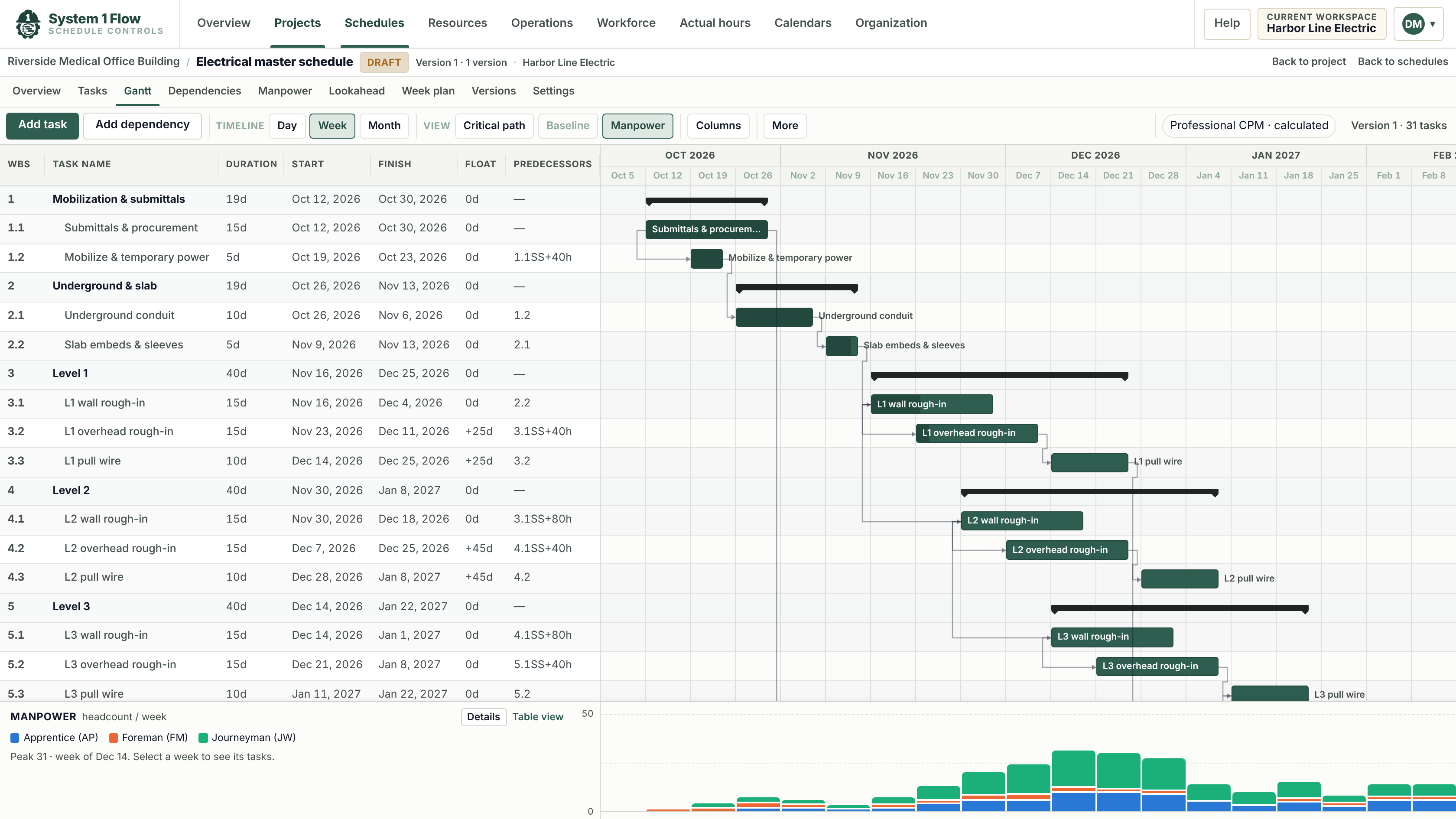
The schedule says when. Nobody says who.
The general contractor's schedule tells you when your work happens. It does not tell you how many electricians, fitters or apprentices you need that week, or which other job they are coming from. Most contractors rebuild that answer in a spreadsheet every Friday. System 1 Flow keeps it current.
One schedule, not five copies
Import the P6 or Microsoft Project file, or build it here. Updates land on the same schedule, with every version kept.
Import schedulesCrew demand you can see
Assign labor roles to activities and Flow turns the schedule into weekly headcount by trade, against the crew you actually have.
Crew loadingEvery job on one board
See where your people are allocated across jobs, and where next month is short before it becomes overtime.
Workforce planning
A real CPM schedule, without the scheduling degree.
Build the schedule activity by activity, or import it. Flow calculates the critical path with working calendars and dependencies, and keeps every published version so you can compare what moved.
- Gantt view with work breakdown, links and float
- Working calendars by project, crew or holiday
- Durations in working days, dates calculated for you
Turn the schedule into headcount.
Put labor roles and crew sizes on activities, and Flow adds them up by week. Set the capacity you plan to have and the weeks you are short stand out before you are in them.
- Weekly demand by labor role, straight from the schedule
- Planned capacity per role, with shortfalls highlighted
- Timesheet hours against planned hours
Give the field a lookahead they will use.
Pull a three-week lookahead straight from the master schedule, with the crew each week needs. Print it for the trailer or open it on an iPad. Progress recorded in the field rolls back into the schedule.
Lookaheads and week plans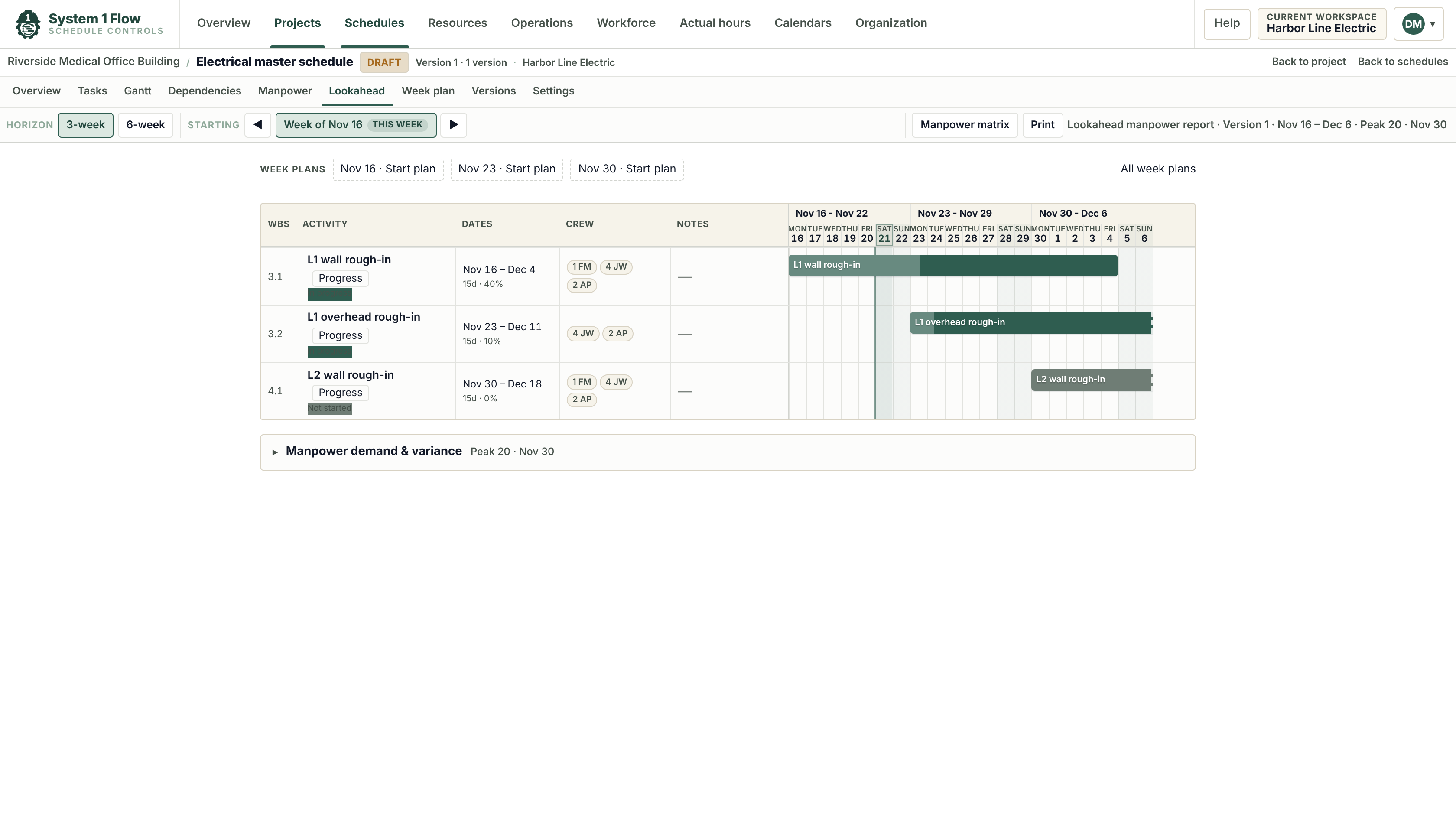
Every job. Every crew. One board.
Operations leaders see labor demand across every active job beside the people they have. Move a crew, test a what-if scenario, and issue a rolling forecast the whole company plans from.
Workforce planning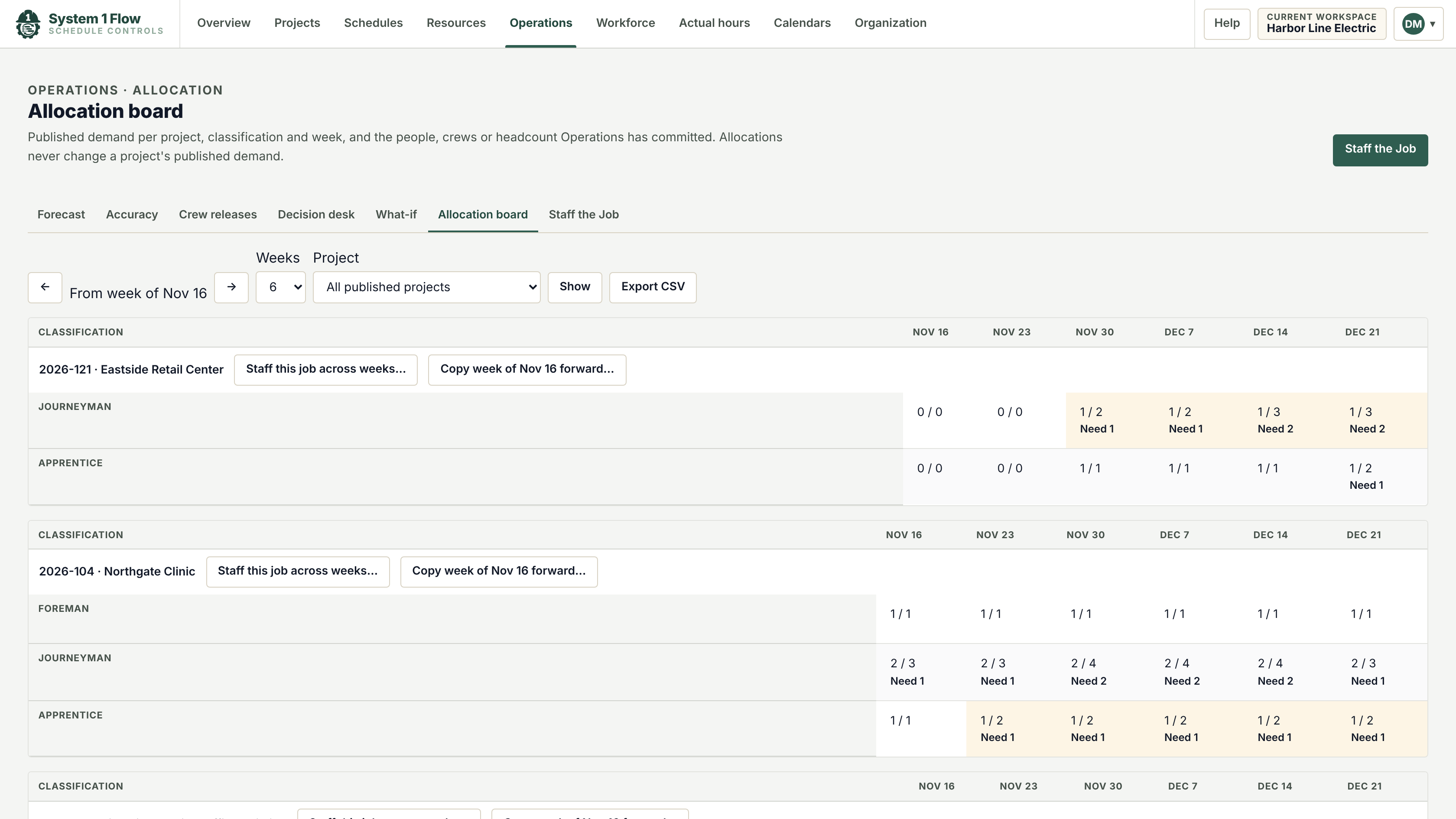
Built for the trades that carry the labor risk.
Specialty contractors live and die by labor productivity. Flow is built around the way electrical, mechanical and other trade contractors plan their work.
- Electrical ContractorsPlan foremen, journeymen and apprentices from the schedule, across every job you are running.
- Mechanical & Plumbing ContractorsCoordinate fitters, plumbers and sheet metal crews around the GC's schedule and your own shop.
- Lookahead PlanningBuild three-week lookaheads and weekly plans from the master schedule, not by retyping it.
- Crew Planning Across JobsSee labor demand from every job beside the people you have, and decide who goes where.
From the master schedule to Monday’s crew.
Six parts of one product, all reading from the same schedule.
- PlanScheduling & CPMGantt schedules with critical path, working calendars and versions.
- PlanP6 & MS Project ImportBring in Primavera P6 and Microsoft Project files and keep each update as a version.
- Run the weekLookaheads & Week PlansPrintable lookaheads and weekly commitments, straight from the master schedule.
- StaffManpower & Crew LoadingWeekly labor demand by role from the schedule, against the crew you plan to have.
- StaffWorkforce PlanningAllocate crews across jobs, test what-if scenarios and issue a rolling forecast.
- TrackActual HoursImport hours from your timekeeping and compare them with the plan.
Up and running on a live job in days.
No consultants, no six-month rollout. Start with one job and the schedule you already have.
Bring the schedule
Import the general contractor's P6 or Microsoft Project file, or start from a template.
Add your labor roles
Set up the classifications you staff with, such as foreman, journeyman and apprentice.
Load the crews
Put crew sizes on the activities that need them and see the weekly demand appear.
Run the week
Share the lookahead with the field and record progress and hours as the job moves.
See your next job in System 1 Flow.
Send us the schedule for a job you are bidding or building. We will show you its crew loading in a 30-minute walkthrough.